MODULES / CHUKWU PICK
Pick, pack and ship from a phone.
Read the tag. Follow the shortest route. Print the label.
The phone reads the tag
Point the camera at the hangtag. Pick checks the style against the order line before it counts.
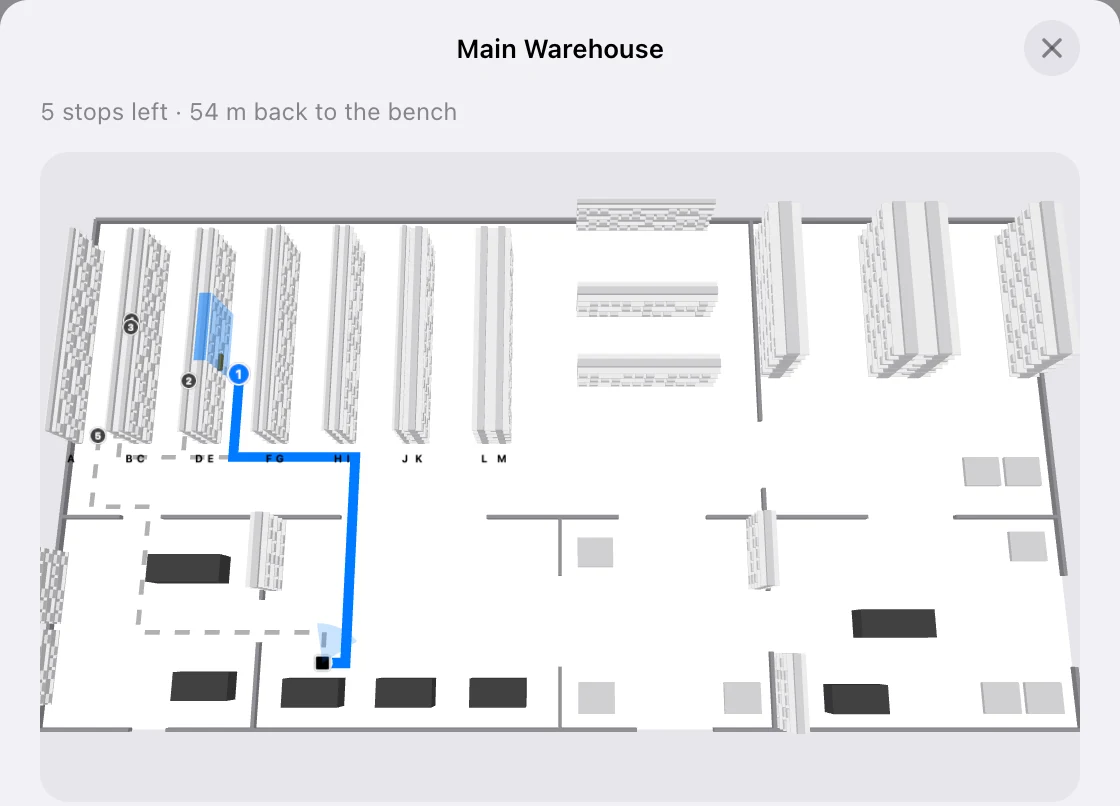
The shortest walk
Pick draws the route round your floor, shelf by shelf, and plans it again after every pick.
Pack and ship
Pack the order at the bench and print the shipping label.
The manager sees the floor
A live board shows every pick in progress, with escalations and an audit trail.
How it works, step by step
What you do, what happens behind it, and the real screens.
- 01
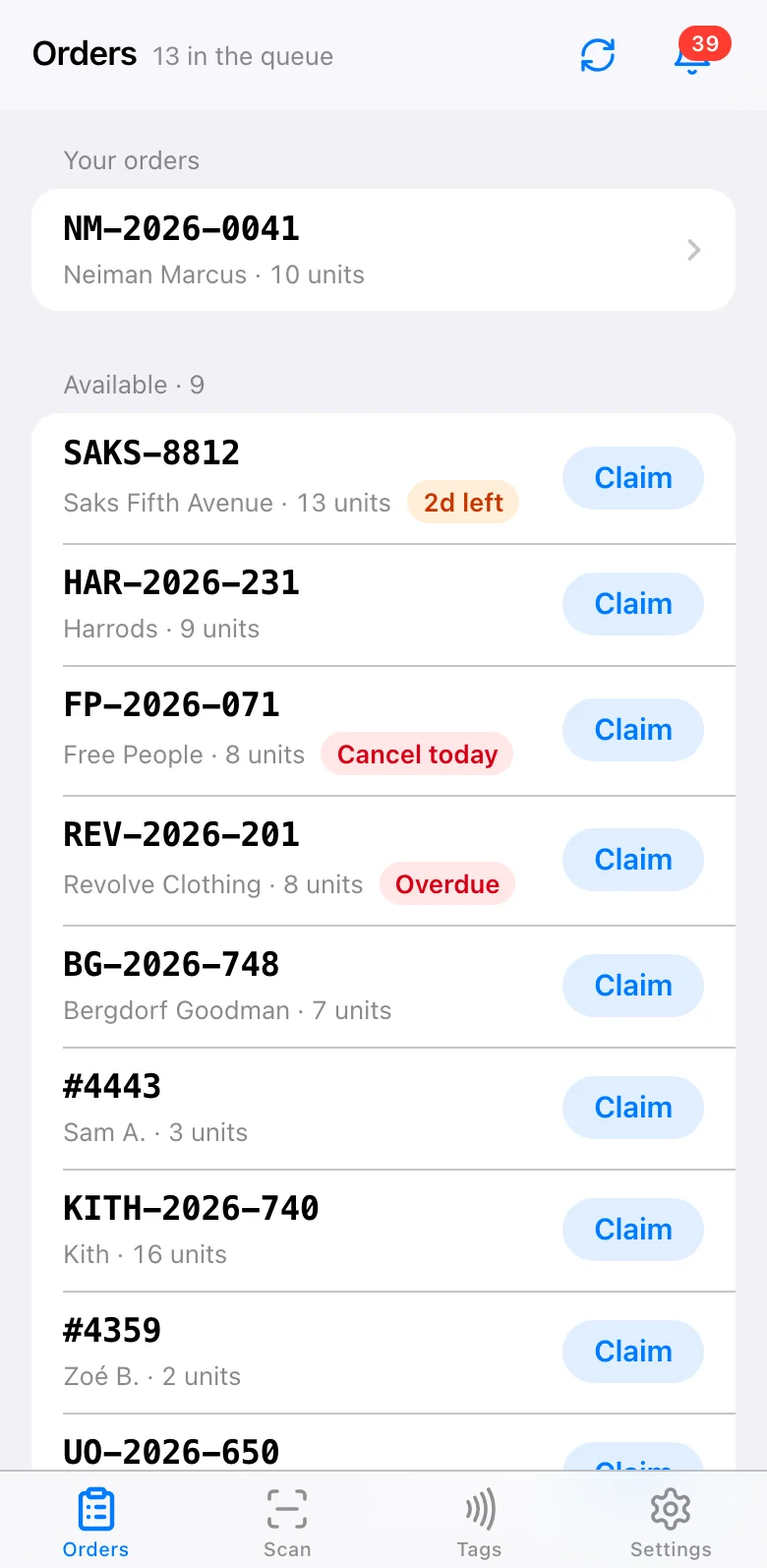
Orders come in
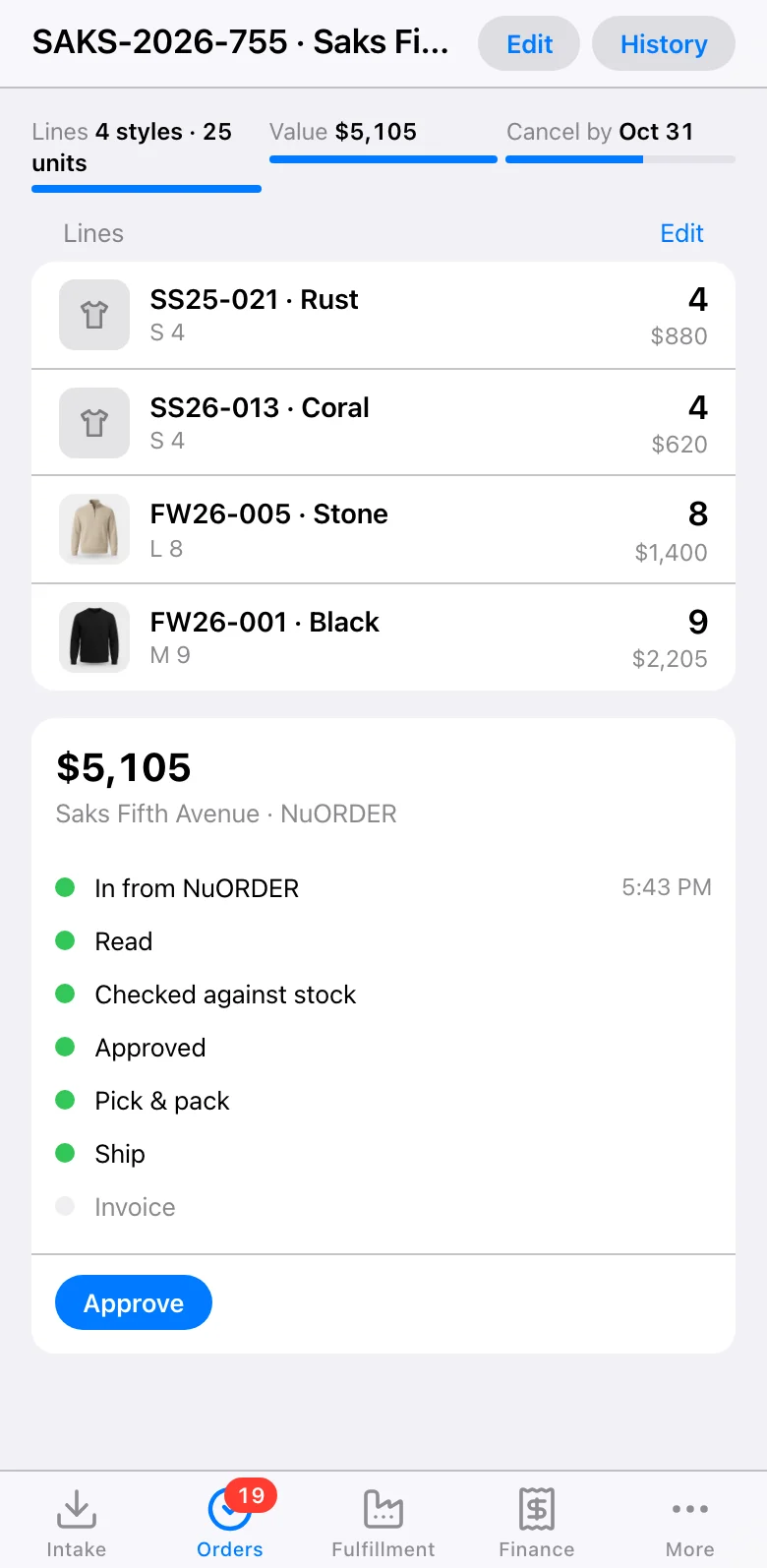
Every order Core approves lands in Pick’s queue: Shopify, JOOR, EDI and emailed PDFs, in one list. Each shows the buyer, the units and how long it has before it must ship.
A picker taps Claim. The order is theirs, so nobody picks it twice.
- 02
The shortest walk
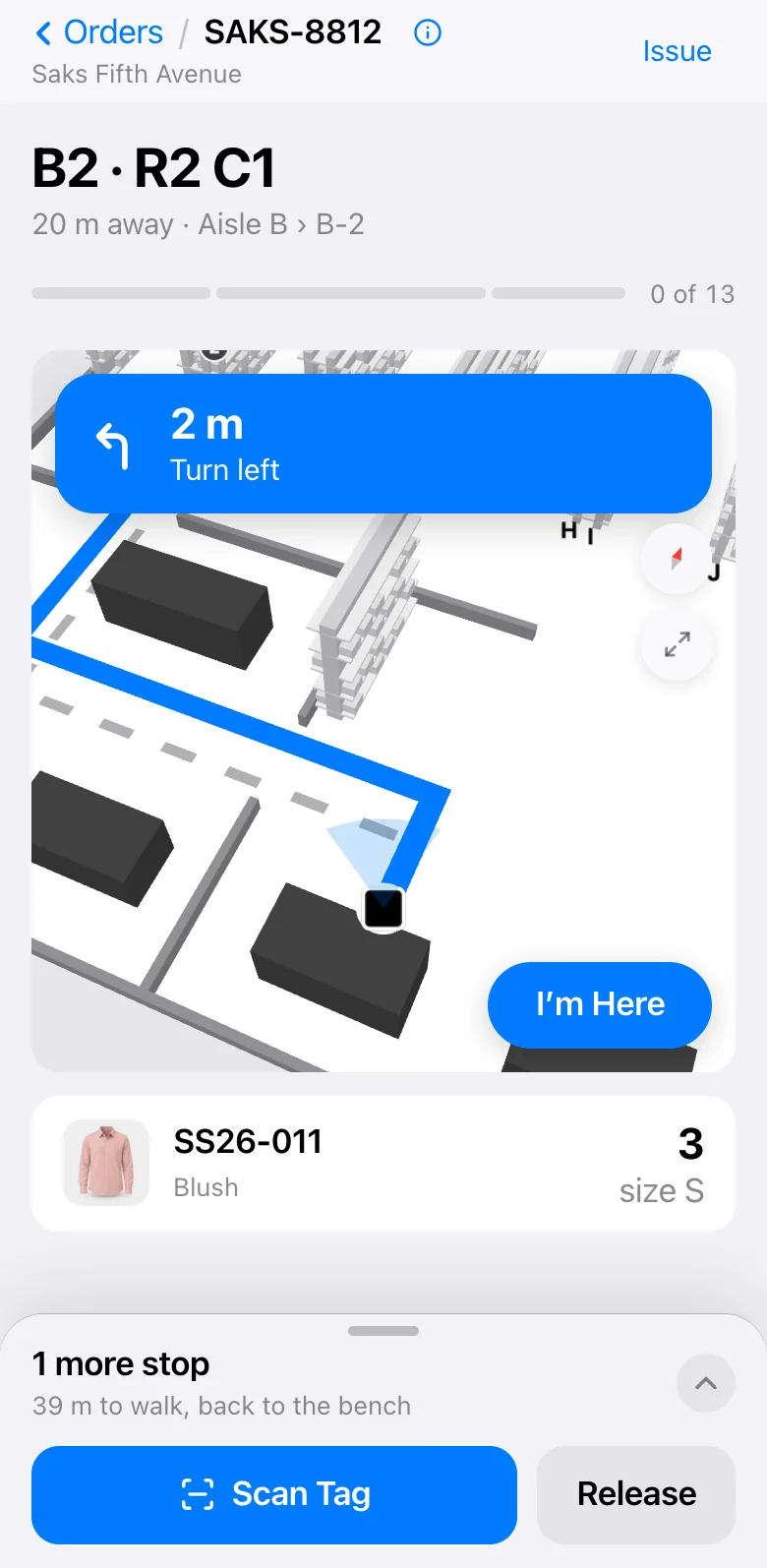
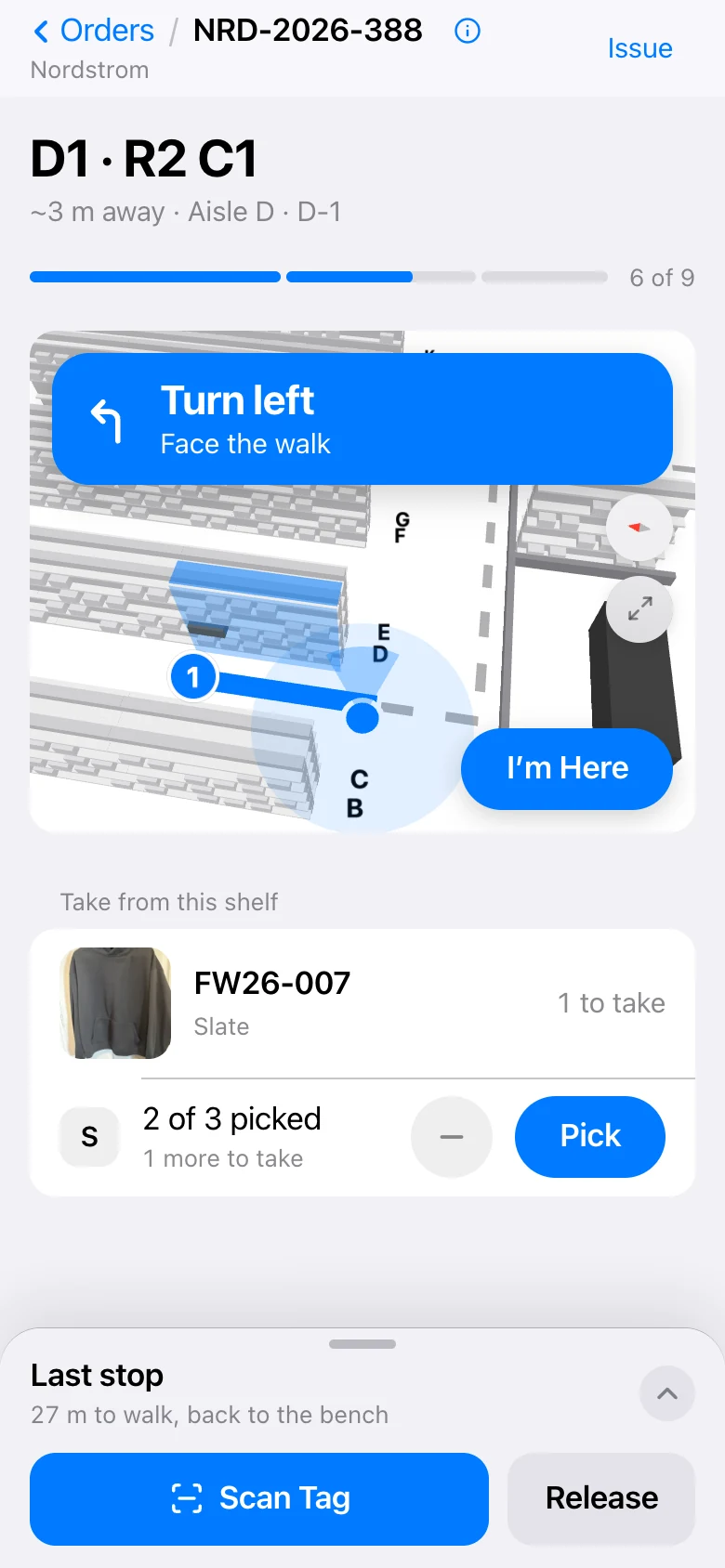
Pick asks Floor’s map where each item sits, then plans the shortest walk round your floor: along the aisles, through the doors, round the shelves.
The map turns with the phone, like walking directions, and a banner says the next turn. Take something out of order and Pick plans again from where you are.
- 03
At the shelf
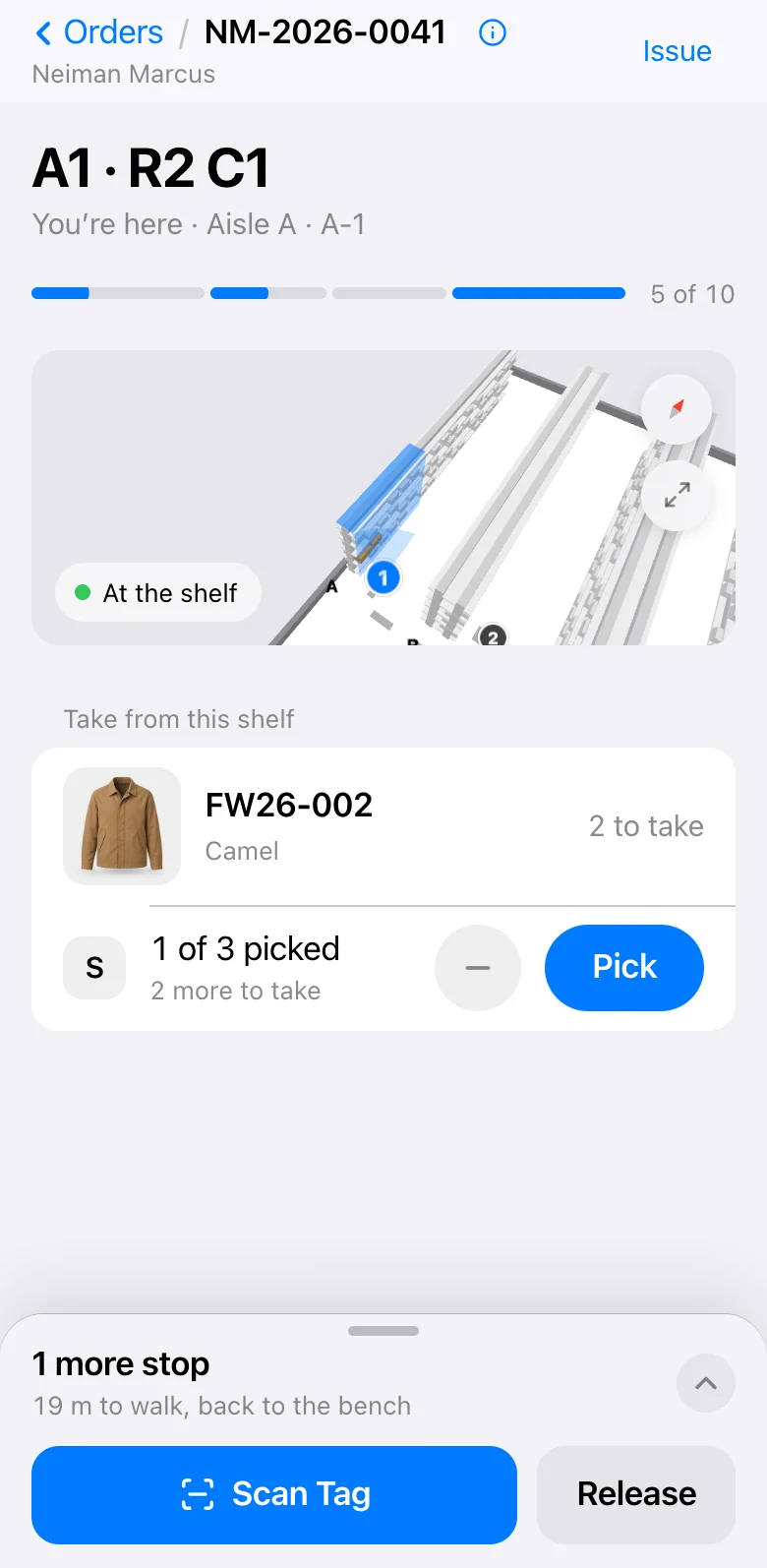
Nearly there, the map shrinks and the screen shows what to take: the photo, the style, the colour and each size.
Scan the tag or tap Pick. Pick checks the style against the order line before it counts it, so the wrong item never goes in.
- 04
Problems go to the manager
Short, damaged, not where it should be: the picker taps Issue and says what is wrong. It lands on the manager’s board at once.
The manager decides from there: ship what is there and back-order the rest, send the picker to another shelf, or take another. The answer comes back to the phone.
- 05
Pack and ship
At the bench Pick says how many cartons the order needs and prints the shipping label.
With our packing station, everything on the mat is read at once and a camera in the lamp checks the labels. A wrong item turns the light red.
- 06
Back in Core, and to the buyer
When the box ships, Core marks the order shipped with its tracking number and emails the buyer.
Shopify’s stock count goes down on its own, and the office sees all of it without asking the floor.
42% less walking.
Ten items walked in list order: 165 m. On Pick’s walk: 96 m. Walking is half of picking, so at $25 an hour a picker gets back about $5 of every hour.
Hardware for picking and packing
Pick works on a phone alone. Add these when you want every item checked as it goes in.
Everything in Pick
Tap one to see how it works.
- Tag reading by camera
- Shortest route
- Short picks
- Packing
- Shipping labels
- Live floor board
- Escalations
- Scan history
- Audit trail
- iPhone app
Use it as it is, or make it yours
Pick works the day you turn it on. Or our team can change parts of it to fit how you work.
Tell us how you workYouEvery coat gets a check before it goes in the box.
Chukwu teamDone. Pick stops for a quality check after the last item.
Questions
Do pickers need a scanner?
No. The phone’s camera reads the tag. No barcodes or special hardware.
Which phones does it run on?
Any phone with a camera, in the browser, and there is an iPhone app.
Does it work without a floor map?
Yes. Without a map, Pick shows the list of what to take. With Floor’s map, it adds the shortest walk.
What if an item is not on the shelf?
Mark it short. The manager sees it on the live board.