NEWS /
Your showroom, in 3D.
Chukwu Floor now draws your showroom in 3D, and shows what is on every shelf as it changes.
What is new
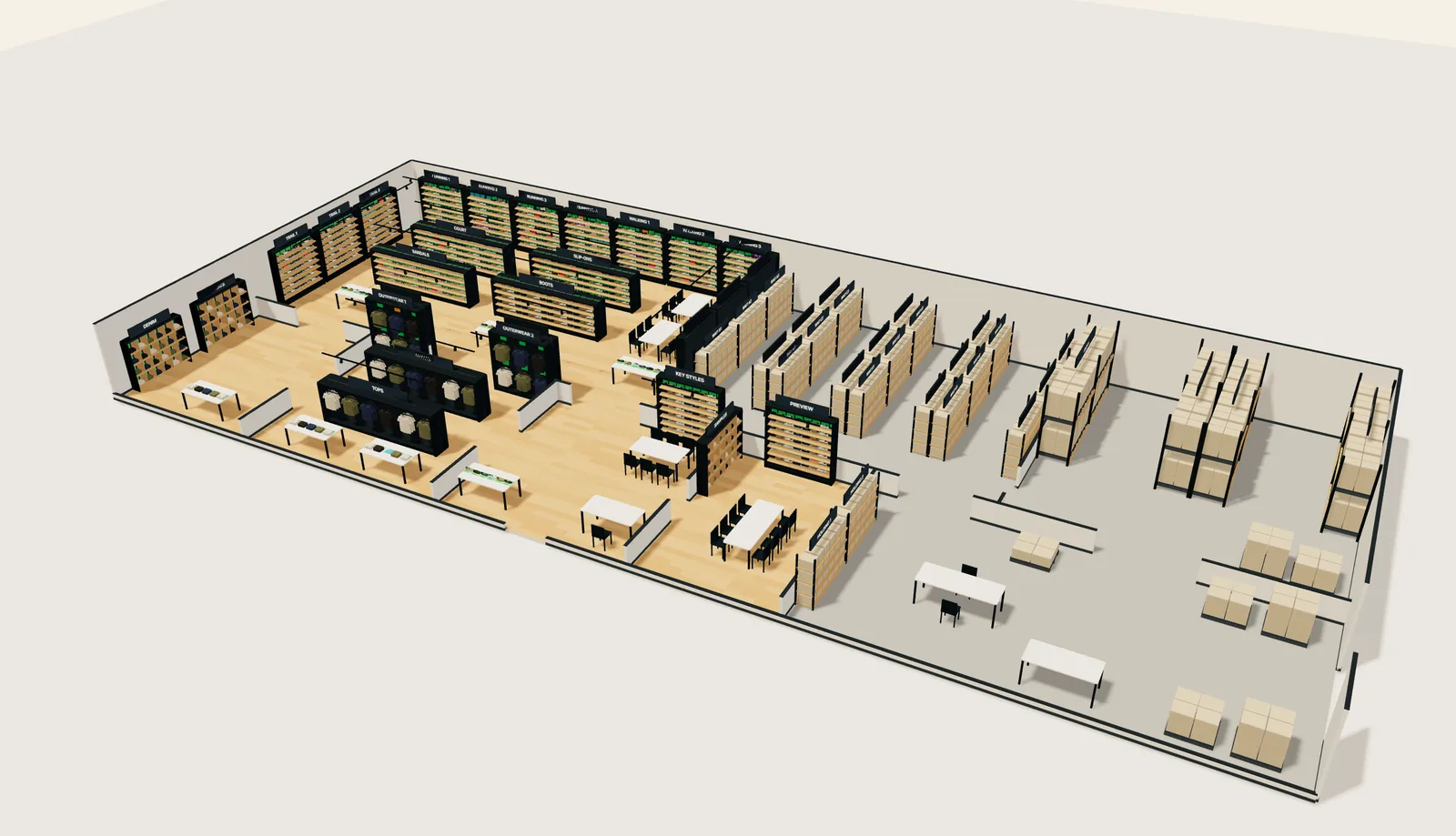
Chukwu Floor’s map now opens in 3D. It is built from the same measured plan as the flat map, so every wall, rail, shelf and table stands where it stands in your room, with the floor, the walls and the lights drawn in.
Every spot on every shelf carries its state. Green means the right item is confirmed there. Red means the spot is empty. Orange means something else is in its place. Grey means nobody has confirmed it in a week, so you know which shelves to check first.
The flat plan is one click away, for when you want the whole floor at a glance. It colours each run of shelves by its most urgent spot.
What belongs there, and what is there
Click any shelf and it opens front on, top shelf first: the style each spot expects, what is on it, and when someone last confirmed it.
Find any style
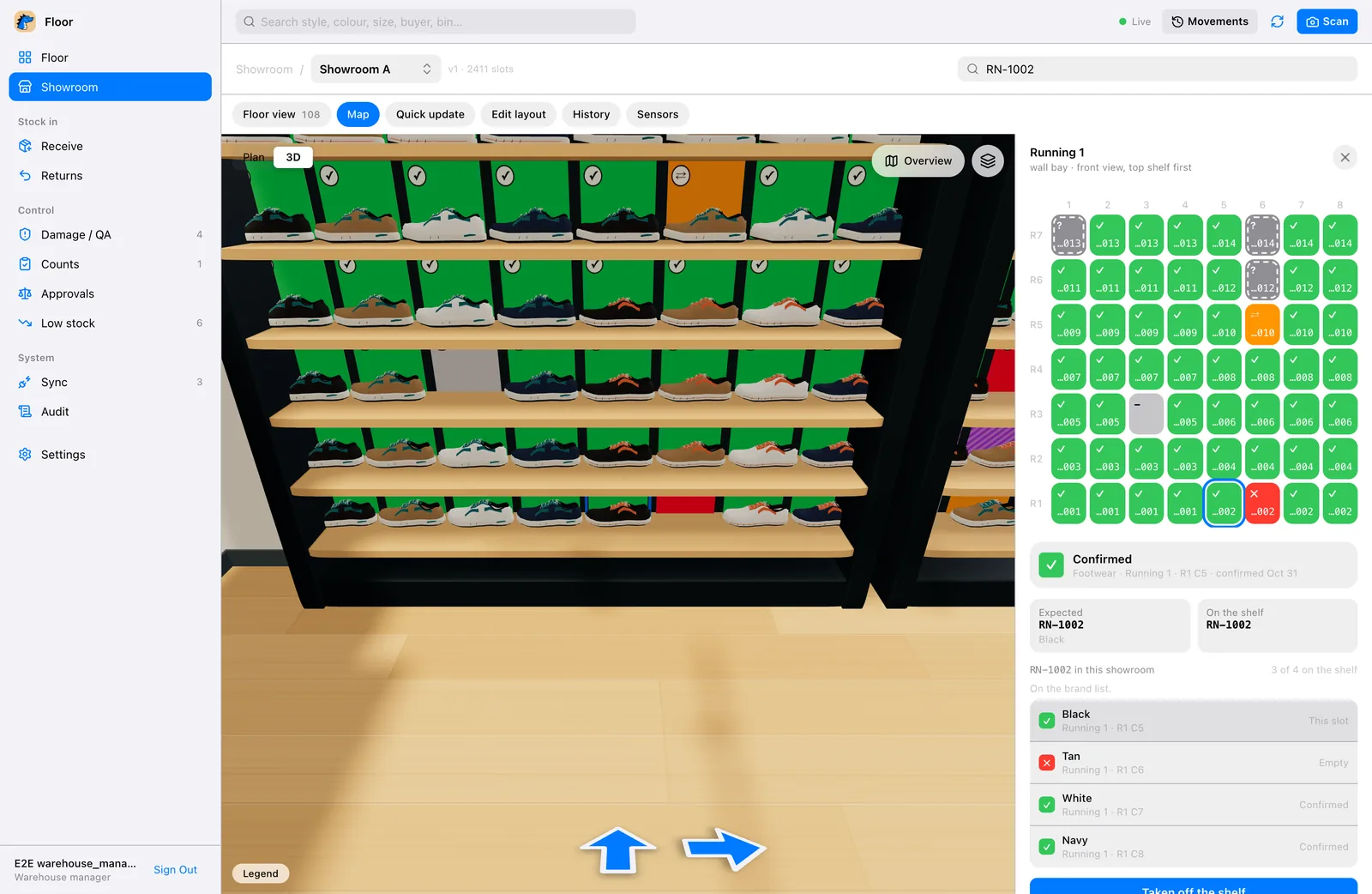
Type a style number in the search. The map takes you to it and lists every colour of that style in the room: the spot each one belongs in, and whether it is there. In the picture above, RN-1002 is on the shelf in three of its four colours, and the tan one is missing.
When a sample goes out with a buyer, staff mark it from their phone and its spot turns teal: checked out, not lost.
How a showroom gets its map
A lifted item turns red
With Chukwu’s smart shelves, each item sits on a reader. Lift it and its spot turns red on every screen in about a second. Put it back and it turns green.
See the smart shelves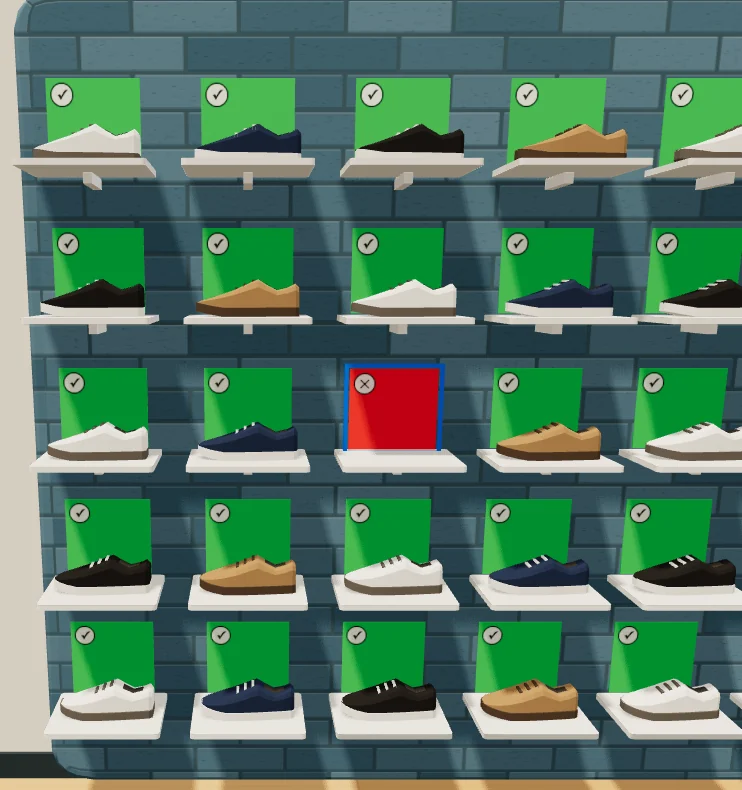
Showrooms, stock rooms and 3PLs
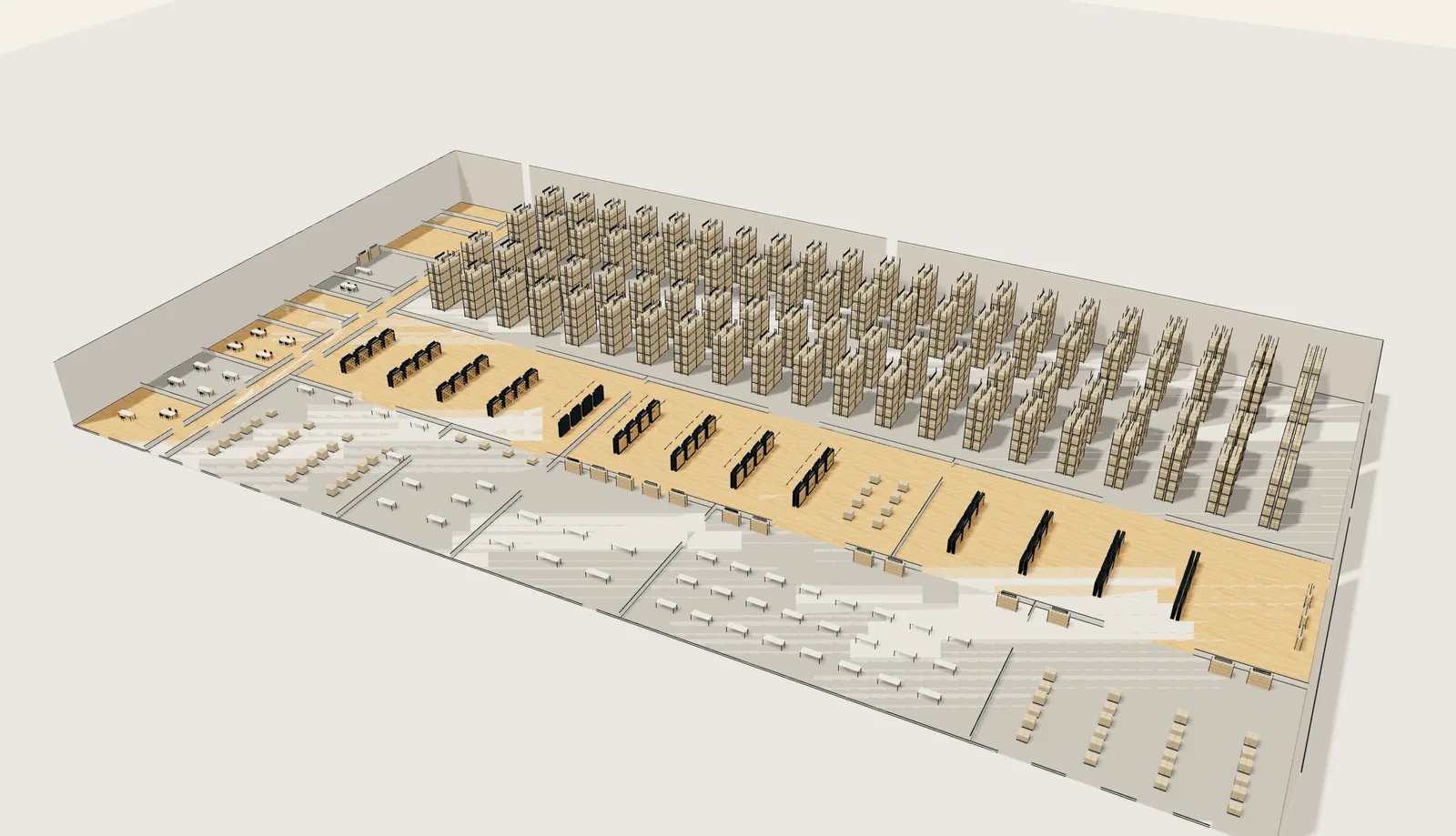
The same map draws a stock room with its aisles, or a 3PL floor with docks, pick zones and a pallet reserve.
Why it matters
A showroom changes all day. Samples go out to buyers, come back, and get put down in the wrong place. A spreadsheet shows where things were when someone last typed them in. The map shows where they are now, which is what sample tracking is for.
Staff stop walking the floor to check a shelf, and a missing sample shows when it goes, not at the next full recount.
Chukwu Pick reads the same map. It finds each item of an order on it and plans the shortest walk to all of them: read how the walk is planned.
Words on this page
Plain definitions in the glossary.
Questions
Do I need smart shelves for the 3D map?
No. The map works from the phone alone. Smart shelves make it change on its own.
Can the map match our room?
Yes. We draw your room as it is, with your own shelves, rails, tables and walls.
Does it open on a tablet or a phone?
Yes. The map opens on a laptop, a tablet and a phone.
Can our own styles show in 3D?
Yes. Send us supplier photos of a style and we build its 3D model for your map.